On this page
- TL;DR
- Give every order the same six steps
- Put the catalogue inside the chat
- Turn every chat into a numbered order
- Ask for payment against the order
- Confirm only when the money has arrived
- Hold stock when the order is confirmed
- Hand the chat to a person at the right moment
- Know where the Business App stops
- Your next step
WhatsApp orders get lost in the scroll. A customer asks for two items on Tuesday, pays your till on Wednesday and sends a screenshot on Thursday. Nobody can say which payment matches which order, and one item has gone to someone else.
The fix is to run WhatsApp as an order channel, not only a conversation. Six pieces make it work for a Kenyan shop: the catalogue, order capture, payment, confirmation, stock and a handoff to a person.
Give every order the same six steps
| Step | What goes wrong without it | What good looks like |
|---|---|---|
| Catalogue | Customers ask for prices and wait for a reply | Items with price, photo and availability inside the chat |
| Order capture | Orders live in one person’s memory | A number and a status for every confirmed order |
| Payment | Money arrives with no reference | An STK push or pay link tied to the order |
| Confirmation | Customers send screenshots to prove they paid | A receipt in the chat with the M-PESA code |
| Stock | One item sold twice | Stock held from the moment the order is confirmed |
| Handoff | A bot loops, or an urgent chat waits | A person takes over with the full history |
Each step closes one gap. Skip one, and the chat falls back to guesswork at that point.
Put the catalogue inside the chat
The WhatsApp Business App and the Business Platform both support a catalogue. On the Platform, the catalogue sits with Meta and holds each item’s name, description, price, images and availability.
From it, your system can send a single product, or a multi-product message with up to 30 items arranged in sections. Customers add items to a cart, up to 99 units of each, and send the whole cart as one order.
Keep prices and availability current. A catalogue that shows sold-out items creates the worst chat a shop can have: a customer ready to pay, and nothing to sell them.
Meta’s Commerce Policy governs what you may sell on WhatsApp. Categories such as alcohol, tobacco and firearms are prohibited whatever your local licence says. Check your products against it before you build anything.
Turn every chat into a numbered order
The most common loss is an order that was never written down. The chat says “I’ll take the blue one”, and nobody records it anywhere a colleague can see.
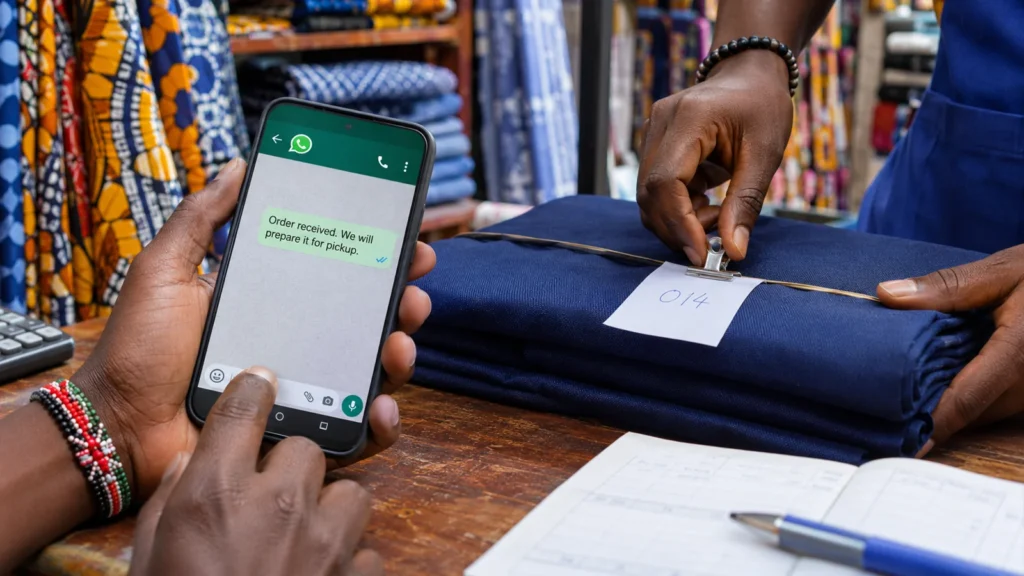
Create the order the moment the customer confirms the items. Record the order number, items, phone, delivery location and a status of “awaiting payment”. Reply with the number and the total, so both sides refer to the same thing.
On the Business App this step is manual. Labels such as “New order”, “Awaiting payment” and “Paid” help a small team keep track. On the Platform, a sent cart reaches your system as a webhook with the order details, so the order record can create itself.
A sent cart cannot be edited. A customer who changes their mind sends a new cart, so your system should cancel the first order instead of keeping both.
Ask for payment against the order
Meta’s in-chat payment features are documented for a few markets, such as India, Brazil and Singapore, not Kenya. Here, payment runs from your own system, by M-PESA, Airtel Money or card.
Two patterns work well:
- An STK push to the customer’s phone, with the order number as the account reference. The customer enters their PIN, and the payment arrives already matched.
- A pay link in the chat, through your own checkout or a gateway such as Paystack or Pesapal, carrying the order number.
What fails is a bare till number typed into the chat. The customer pays, the payment carries no reference, and someone matches it by name and amount late at night. Our M-PESA integration guide covers which Daraja flow fits.
Confirm only when the money has arrived
Never mark an order paid because a customer sent a screenshot. Screenshots can be edited, and a fake M-PESA message looks like a real one at a glance. Mark the order paid when your system holds the receipt from Safaricom.
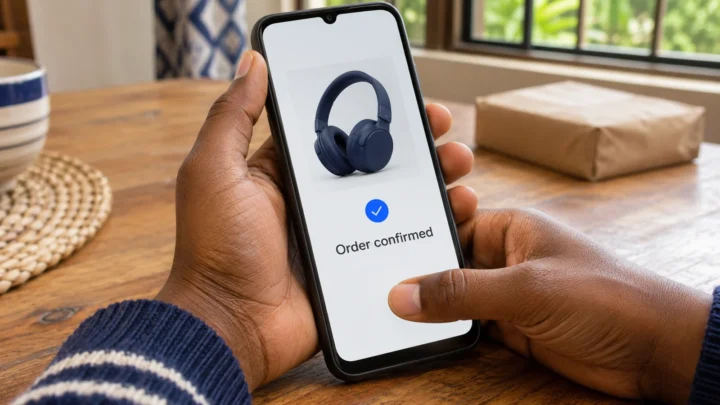
Then reply in the same chat: “Order 1042 paid, M-PESA ref SKU7H2LQ4M. Delivery tomorrow before 1pm.” If it has been less than 24 hours since the customer’s last message, you can send that as a normal reply. Outside that window, it must go as an approved utility template.
Budget for these messages. Meta charges Platform messages one by one, by category. From 1 October 2026, service replies beyond 1,000 a month per number are charged, and so are utility messages sent in reply to a customer. Our WhatsApp Business API guide explains the categories.
Hold stock when the order is confirmed
A WhatsApp order that waits for payment still needs its stock. Otherwise a website buyer takes the last unit while your customer is entering their PIN.
- Reserve stock when the order is created, not when payment lands.
- Give each reservation a payment window, such as 2 hours, and say so in the chat.
- Release the stock automatically when the window closes, and tell the customer the order lapsed.
- Use one stock count for WhatsApp, the website and the counter, so no channel sells what another has promised.
Hand the chat to a person at the right moment
Automation handles the routine part of an order well. People handle the rest better. Meta’s Business Messaging Policy requires businesses that use automation to offer prompt, clear and direct escalation paths, such as an in-chat transfer to a person, a phone number or email.
Hand over when the customer asks for someone, when a payment is disputed, when an item arrives wrong or when the order is custom. Pass the order number and the chat history with it. The customer should never repeat their order to a second person.
Know where the Business App stops
| WhatsApp Business App | WhatsApp Business Platform | |
|---|---|---|
| Catalogue and cart | Yes | Yes, from a catalogue connected to your account |
| Orders into your system | Copied by hand | Sent by webhook as the cart arrives |
| M-PESA prompt tied to the order | Sent by hand from another tool | Sent by your system when the order is created |
| Several staff on one number | One phone plus a few linked devices | A shared inbox through your own system or a provider |
| Message cost | Free | Charged per message, by category |
| Automation | Greeting, away messages and quick replies | Full, with a handoff to a person |
The Business App is enough while one person can see every order. Move to the Platform when orders are copied into a spreadsheet each evening, or when payments regularly arrive that nobody can match.
Your next step
Take last week’s WhatsApp orders and count how many had a payment you could match without asking the customer. That share is your starting point, and every unmatched order is time someone spent chasing.
If you are on the Business App, setting up the catalogue, greetings and order labels is a same-day Express job. When orders need an M-PESA or card prompt tied to each one, and payments that record themselves, that is our payments service.
Need it built properly? A free 30-minute call with an engineer, then one fixed price in writing.
Book a free call